Pages

Ads 468x60px

Showing posts with label Apk Tools. Show all posts

Friday, November 2, 2012

App 2 SD Pro (move apps to SD) 2.61

App 2 SD Pro (move apps to SD) 2.61
$1.99
App 2 SD Pro (move apps to SD) v2.61 Apk - App 2 SD helps you to get more free internal phone storage space

Are you running out of application storage?

Do you hate having to check each and every app if it supports moving to the SD card?

Do you want an app that automatically does this for you and can notify you when an app can be moved?

App 2 SD streamlines the movement of applications to on your device's external or internal storage through your device's Settings. With this handy app, you'll have more control over your ever expanding collection of apps. This app is crucial to anyone who has memory management issues.

*** Over 12,000,000 Downloads! ***

★ View all SD card capable apps and move them seamlessly
★ notify if movable apps installed
★ 1-tap to clear all app cache
★ export the app list to SD card
★ install apps from the exported app list
★ home screen widget shows cache and available size
★ show app cache/data/code/total size
★ keep track of total and available storage space
★ sort through apps stored on phone and SD card
★ add movable apps to the ignore list
★ move apps back to the internal storage
★ view app on Market
★ quick uninstall apps by drag-n-drop
★ open app
★ show app details page
★ support "Move2SD Enabler"
★ customizable notification sound, vibrate and light


Reviews:
http://goo.gl/3hW3l

Same functionalities as "App 2 SD Free" app, but Ad removed.

This app is not used to backup apps to SD card. It only helps you to move a portion of apps used space to SD card. You have to manually install the apps after switching to a new phone or hard reset.

If app uses any of the following features, it cannot be installed on the external storage. It's required by Android system.
App Widgets,
Services,
Input Method Engines,
Live Wallpapers,
Live Folders,
Alarm Services,
Account Managers,
Sync Adapters,
Device Administrators

App shortcuts will disappear from the home screen after you move apps to the SD card. It's the limitation of Android system.

Failed to download apps or update them? It's Android Market's problem, please read the FAQ section from http://goo.gl/qvPcA for more details.

You have to install this app on the phone storage if you want to use the widget function. It's required by Android.

Some devices don't support the function of moving apps to SD card. Please download the FREE version to test if it works on your device before purchasing.

We have been selected as a Google I/O 2011 Developer Sandbox partner, for its innovative design and advanced technology.

Not supported devices:
* Galaxy S3, Note 2, Galaxy Nexus, Tablets
* read FAQ 10 for details: App 2 SD > MENU > Settings > About > FAQ

KW: app2sd, app to sd, a2sd

Credits:
Arabic-Mohamed Hany
Bulgarian-Димитър Димитров
Croatian-Bruno Švorinić
Danish-Christian Stangegaard Kappelgaard
Dutch-Niko Strijbol
French-Jérémy Roth (JeremX)
Finnish-Teemu Paavola
German-Wolfgang Dinter
Greek-George Georgiadis
Hebrow-Benjo26
Hindi-AzamAli
Hungarian-RootRulez
Italian-Luca Trevisan
Japanese-nnnnn
Macedonian-Петар Пехчевски
Polish-Kamil Szymański
Portuguese Brazilian-Altieres Lima da Silva
Romanian-Stelian Balinca
Russian-Павел Алексеев
Slovak-Patrik Žec
Spanish-Lahiri López
Swedish-Henrik Andersson
Turkish-Kutay KuFTi
Vietnamese-Phong Quang PdaViet

App 2 SD Pro (move apps to SD) 2.61

REQUIRES ANDROID:2.2 and up

Download apk :

Market :
https://play.google.com/store/apps/details?id=com.a0soft.gphone.app2sd.pro

Profile Scheduler+ 2.1.2

Profile Scheduler+ v2.1.2 Apk - The only profile manager you need. Simply set and forget.

*******************************************************
After months of testing and trying, it's confirmed that whitelist feature may not work on some phone. This is because some phones do not allow volume to be changed dynamically after a call/sms is received.

Please refer to the FAQ for more info:
*******************************************************

Profile Scheduler lets you change volume, wireless and other phone settings quickly and easily.

Simply set and forget!

Full features and without ads:
- unlimited rules
- up to 50 whitelist contacts
- widget to change profile, activate countdown timer
- profile shortcut

Users are encouraged to try out the free version before purchase!

Follow us on Twitter @wetpalm4android.

Activate profile by just a click or by rules : Scheduler, Location(GPS or Network [cells, Wifi, cell-id]), Calendar, Headset, Car Dock, Power, Battery Level, Wifi, Bluetooth, Orientation, Periodic Timer, or a countdown timer! You can even set the priority for the rules.

Lots of features, flexible and most importantly it's very simple to configure and use.

We (just myself) have been trying very hard to improve this app and your support is very important. If you like the app, please help me share it with your friends. Please do not ask question in your reviews as Google doesn't allow developer to respond to user reviews. If you encountered any problem, kindly check the online FAQ or contact me before leaving any bad comments. Thank you for your support and understanding.

Profile Scheduler+ 2.1.2
$3.26

For bug report, please refer to:

For suggestion, please refer to:

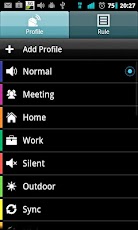
Profile Scheduler allows you to edit and create profiles and activate them the way you like. You will no longer need to change back to normal volume level manually after a meeting or a movie.

5 default profiles are available: Normal, Meeting, Silent, Night and Outdoor. If you don’t like them, simply change them or create your own. You may consider the following profiles:

Car – GPS on, Bluetooth on, Wi-Fi off, screen never timeout.
Power Saver – Mobile data, WiFi, GPS and Bluetooth off, low brightness, short screen timeout, auto-sync off

The following profile settings are supported:

- Volume for ringtone, notification, alarm, media, voice and system
- Vibrate for incoming call and notification
- Phone Ringtone
- Notification Ringtone
- Airplane mode
- Mobile Data
- Wi-Fi
- Bluetooth
- GPS (May not work on some phones due to Google blocking it)
- Speaker Mode
- Haptic Feedback
- Audible touch tone
- Brightness - Automatic, Default or Custom
- Screen timeout - 30 seconds, 1 minute, 2 minutes, 5 minutes, 10 minutes, 30 minutes, Never
- Auto-sync
- Wallpaper from Gallery or File Manager.
- Launch application
- Support 'Volume Locker'

Cool features
=============
- Rule prioritization
- Whitelist contacts: customise ringer/sms volume for certain contacts regardless of profile. Can be used as blacklist. (Known issue: unable to suppress vibration)

Options
=======
- Backup & Restore user data
- Option for to disable scheduler/rule
- Rule prioritization
- 2 color themes
- 12/24 hours display
- Countdown timer

Translation credits to:
- Jan (Dutch)
- Petr (Czech and Slovak)
- Elijah, Francois (French)
- Alexandr (Russian)
- Robert (German)
- Pedro (Spanish)
- Leo Yang (Taiwanese Chinese)
- Abu Iyad (Arabic)

Profile Scheduler+ 2.1.2

REQUIRES ANDROID:2.2 and up

Download apk :

Market :
https://play.google.com/store/apps/details?id=com.wetpalm.ProfileSchedulerPlus

Tuesday, October 23, 2012

Lux Auto Brightness 0.74

Lux Auto Brightness v0.74 Apk - Lux isn't your ordinary brightness app. It intelligently adjusts the brightness of your display based on the environment you're in. If, for example, you step into a dimly lit room, Lux will automatically lower the brightness of your display to make it not only comfortable to read, but to also preserve battery power.

Lux provides the option to automatically adjust the backlight at fixed intervals (periodic mode), when a change in environment is detected (dynamic mode), or when the phone wakes from sleep. It's also possible to adjust the backlight manually. Simply disable automatic mode and you can use it like a traditional brightness tool!

Perhaps the best thing about Lux is that you can teach it how to behave. If the backlight is too bright or dim for your liking, simply open the provided Dashboard, adjust the brightness slider to the level you desire, then hold the link button. Lux will use this new 'link' as a reference in future.

Give it a go! I want you to test Lux for more than the 15 minute refund period offered by Google. I understand that some devices may not have the best quality light sensor, and that you may need more time to play around with settings. If you find that Lux doesn't suit you after the 15 minutes is up, you can request a refund at any time via e-mail - no questions asked.

DO NOT request features, report bugs, or ask for assistance in your review. I can't reply to them! Please e-mail me instead.
Lux Auto Brightness 0.74
$2.26

★FEATURES★
■ Custom auto brightness.
■ Sub-zero brightness to make reading in the dark significantly less irritating.
■ Battery efficient
■ Handy brightness widget
■ Option to use the camera to read in ambient light.
■ Power-user settings such as choice of interpolation, sensor debugging, and linked sample editing.
■ Backup to SD.
■ 'Ascending' auto mode for phones with inaccurate light sensors.
■ Gradual fade effect for backlight adjustments.
■ Astronomer mode adds a red filter to the screen to preserve the eyesight of stargazers.
■ Jitter control to prevent constant small changes to the backlight.
■ Night mode, to change the colour temperature of the display for comfortable night time viewing.
■ Add app specific exceptions via sleep mode
■ No ads, or other nuisances.
■ Tasker and Locale support!

Note: Please disable other brightness apps before using Lux. The author is not liable for any issues caused when using this app.

READ_PHONE_STATE permission is now required to prevent Lux from interfering with phone controls in Android 4.1.

Lux Auto Brightness 0.74

REQUIRES ANDROID:2.1 and up

Download Apk :

Market :
https://play.google.com/store/apps/details?id=com.vito.lux

Monday, October 22, 2012

OfficeSuite Pro 6 + (PDF & HD) 6.5.1003

OfficeSuite Pro 6 + (PDF & HD) v6.5.1003 Apk - View, Edit, Print and Share your office documents on the go!

OfficeSuite Pro – Your office documents on the go!
Made by MobiSystems, OfficeSuite Pro allows you to view, create, edit, print and share Word, Excel and PowerPoint files on the go. One can also open attachments and see PDF files on an Android based phone or tablet with our feature-rich mobile office solution.


OfficeSuite Pro includes a File Browser and integration with Sharing Service Leaders: Box, DropBox, Google Drive, SkyDrive and SugarSync - to give users a multitude of options on how to manage files and attachments.

OfficeSuite Pro is a leading-edge office productivity application that has been chosen to be pre-loaded onto over 50 million (and counting) devices worldwide by such prestigious manufacturers like Sony Ericsson, Alcatel, FoxConn, Archos, Pandigital, Polaroid, Olivetti, Coby and a host of other major players in the Android Mobile Device market.

*** Now offering Microsoft Office Font Compatibility Pack (sold separately) *Note - OfficeSuite Pro comes with a base pack of ready-to-use fonts. Purchasing the Microsoft Office Font Compatibility Pack is optional and it ensures that you have the licensed versions for complete font compatibility.

OfficeSuite Pro 6 + (PDF & HD) 6.5.1003
$14.99

OfficeSuite Pro 6.5 New Features:
* Print - ability to print documents with Google Cloud Print or previously installed third party print solution
* Convert to PDF - convert your text documents to PDF files
* Spell-check- ability to check and correct the spelling of text documents (based on Google ICS spell-check) 
* New supported formats - opening of XLSM, PPTM, PPSM and DOCM formats
* Thumbnail preview in Slideshow mode
* Animated Slideshow -support for animated slideshows 
* Embedded images (in Excel module)
* Embedded charts (charts appear directly on the Excel spreadsheet)
* Extended cloud support - now compatible with Microsoft SkyDrive
* Widget for recent files -view the last opened files at a glance with the OfficeSuite Recent files widget
* WiFi Direct support

OfficeSuite Pro consists of several software modules that share the same look and feel, and allow you to view, create and modify office documents on the go: 
* Intuitive Toolbars for the following:
* File browser
* Text document module 
* Spreadsheet module
* Presentation module
* PDF Reader
* Email reader

File Formats Supported:
* Text format - DOC and DOCX, DOCM, RTF, TXT, LOG
* Spreadsheet - XLS, XLSX, XLSM and CSV 
* Presentation - PPT, PPTX, PPS, PPSX, PPTM and PPSM
* Other formats - PDF, EML, ZIP

View Attachments and Share Documents:
* Easily open most email attachments
* Works with Outlook EML files 
* Share documents via Email or Bluetooth
* Use with a primary sharing service such as Box, Dropbox, Google Drive, SkyDrive or SugarSync for efficient file handling

OfficeSuite Pro is the only Android OS mobile office application that allows opening of password protected documents

Languages Supported: 
English, French, Italian, German, Spanish, Japanese, Chinese Traditional, Chinese Simplified, Swedish, Russian and Korean.

Connect with us on FACEBOOK: www.facebook.com/MobiSystems

Compatible with Sony Ericsson LiveDock™ Multimedia station.

com.sonyericsson.extras.ATTACHED.

OfficeSuite Pro 6 + (PDF & HD) 6.5.1003

REQUIRES ANDROID:2.0 and up

Download Apk :

Market :
https://play.google.com/store/apps/details?id=com.mobisystems.editor.office_registered

Friday, October 19, 2012

Smart Measure Pro 2.3.3

Smart Measure Pro v2.3.3 Apk - Measure the distance, height, width and area of an object with your phone.

Smart Measure Pro is the 2nd set of Smart Tools collection (distance, height, width, area).

This range-finder(telemeter) measures the Distance, Height, Width and Area of a target with your phone by trigonometry.

Are you ready to measure? Just stand up and press the shutter. The important point is aiming the camera at the GROUND, NOT the object. (i.e. In order to measure the distance from someone, aim at his shoes.)

If it is inaccurate, please read the instructions in this app or see the checklist diagram in the blog. The sensors on your phone can be changed according to OS version, firmware and battery status.
You can calibrate them with the calibrate menu and settings for yourself.

* Pro version added Features:
- Width and Area can be measured
- Quick Shutter
- Portrait mode
- Camera Zoom
- Virtual Horizon
- No ads
Smart Measure Pro 2.3.3
$0.95

* Now, 3 tools for distance were completed.
1) Smart Ruler (short, by touch) : 1-50cm 
2) Smart Measure (medium, trigonometry) : 1-50m
3) Smart Distance (long, perspective) : 10m-1km

* Do you want more tools?
Get [Smart Tools] package.

For more information, see the manual, Youtube video and the blog. Thank you.

Smart Measure Pro 2.3.3

REQUIRES ANDROID:1.6 and up

Download Apk :

Market :
https://play.google.com/store/apps/details?id=kr.aboy.measure

Thursday, October 18, 2012

Notepad Voice Recognition Pro 2.16

Notepad Voice Recognition Pro v2.16 Apk - Create your entries with voice input without the hassle of typing. Easy, fast and simple to use.

Pro features:
- Ad free
- 2 Widgets included
- Synchronise with Google Tasks
- Save lists as textfiles
- Add entries to clandar

Notepad Voice Recognition Pro 2.16
$1.29

Features:
- Voice recognition
- Check items as done
- Copy, paste, and edit entries
- Various font types and themes
- Several lists for each use
- Export and import lists
- Works with many languages
- Text to speech
- Reminder function
- Sort lists alphabetically

Supported languages:
English, Spanish, Russian, Italian, German, French, Polish and Portugese

An internet connection is needed for the voice recognition.

Notepad Voice Recognition Pro 2.16

REQUIRES ANDROID:2.1 and up

Download Apk :

Mirror :
http://www.directmirror.com/files/1ANP2XV5

Market :
https://play.google.com/store/apps/details?id=NotepadPro.DE

Tuesday, October 9, 2012

SMS Backup & Restore Pro 5.92

SMS Backup & Restore Pro 5.92
$2.03
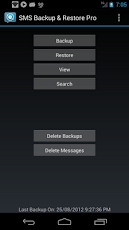
SMS Backup & Restore Pro v5.92 Apk - A simple App to Backup and Restore SMS Messages. This is a Paid No-Ads version of the Ad-Supported Free App.

Note: On newer phones with inbuilt storage the default backup location will probably be the internal storage card and not the external. This is because the phone reports the storage that way. If you intend to do a factory reset on the phone, please make sure you save/email a copy of the backup outside the phone before doing the reset.


* Automatic Scheduled Backups.
* View Backup Contents.
* Backups created in XML Format on the SD Card.
* Option to backup selected conversations only.
* MMS not supported yet.
* FAQs at http://bit.ly/d9t7Jk

NOTE: There is a known problem with some firmware versions of the Droid X and Droid 2 phones that the restored messages do not get the correct time stamps.


This App needs the following permissions to work:
* Storage - modify/delete SD card contents (android.permission.WRITE_EXTERNAL_STORAGE): To create the xml file on the SD card.
* Your messages - edit SMS or MMS, read SMS or MMS (android.permission.READ_SMS, android.permission.WRITE_SMS): Needed to read SMS during backups and write them during restore.
* Your personal information - read contact data (android.permission.READ_CONTACTS): To display and store the contact names in the backup file.
* System tools - prevent phone from sleeping (android.permission.WAKE_LOCK): To prevent the phone from going to sleep/suspended state while a backup or restore operation is in progress.
* Hardware controls - control vibrator (android.permission.VIBRATE): To vibrate the phone when the backup or restore operation is completed.

Translations:
- Finnish - Thanks to Juhana H.
- Russian - Thanks to Pavel (Павел Миронов)
- Spanish - Thanks to Miguel A. Alvarez
- French - Thanks to Julien Benoist
- German - Thanks to Marc Hillesheim & Jan Allan Zischke
- Dutch – Thanks to Kristof Roels
- Portuguese - Thanks to António Silva
- Italian - Thanks to Oliver Thomas Cervera
- Polish - Thanks to MSZ & MR
- Swedish - Thanks to Björn Lindahl
- Estonian - Thanks to Margus Palu
- Simplified Chinese - Thanks to Thomas Wang
- Slovenian - Thanks to TKL
- Welsh - Thanks to Huw Waters
- Czech - Thanks to Jiri Trcka
- Macedonian (Republic of Macedonia - F.Y.R.O.M.) - Thanks to Vlad
- Turkish - Thanks to Hasan Gök
- Hungarian - Thanks to Kojedzinszky Dániel
- Hebrew - Thanks to s_h
- Traditional Chinese - Thanks to Bernie Huang
- Korean - Thanks to HoeLyn Do (도회린)
- Norwegian - Thanks to Dag Jøran Hanssen
- Danish - Thanks to Jeppe Leth Nielsen
- Romanian - Thanks to Gabriel Peca
- Greek - Thanks to Michael and Dimitrios

SMS Backup & Restore Pro 5.92

REQUIRES ANDROID:1.5 and up

Download Apk :

Monday, October 8, 2012

EveryCircuit 1.15

EveryCircuit v1.15 Apk - Design and simulate electronic circuits!

All joking aside, this time you will understand how electronic circuits work.

"I stumbled upon some serious gold" - GeekBeat.tv
"A fully realized circuit simulator" - EDA360 Insider

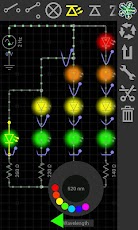
Build any circuit, tap play button, and watch dynamic voltage, current, and charge animations. This gives you insight into circuit operation like no equation does. While simulation is running, adjust circuit parameters with analog knob, and the circuit responds to your actions in real time. You can even generate an arbitrary input signal with your finger!

That's interactivity and innovation you can't find in best SPICE tools for PC like Multisim, LTspice, OrCad or PSpice (trademarks belong to their respective owners).

EveryCircuit is not just an eye candy. Under the hood it packs custom-built simulation engine optimized for interactive mobile use, serious numerical methods, and realistic device models. In short, Ohm's law, Kirchhoff's current and voltage laws, nonlinear semiconductor device equations, and all the good stuff is there.

Growing library of components gives you freedom to design any analog or digital circuit from a simple voltage divider to transistor-level masterpiece.

Schematic editor features automatic wire routing, and minimalistic user interface. No nonsense, less tapping, more productivity.

EveryCircuit 1.15
$10.00

Simplicity, innovation, and power, combined with mobility, make EveryCircuit a must-have companion for high school science and physics students, electrical engineering college students, breadboard and printed circuit board (PCB) enthusiasts, and ham radio hobbyists.

Free version has limited sandbox area, but it can still impress you. If you need a larger playground, a full version is available. The full version will employ all of your imagination, and all the screen area of your tablet.

Thanks to Prof. N. Maghari for technical discussions, feedback, and help with designing circuit examples.

Features:
+ Animations of voltage waveforms and current flows
+ Animations of capacitor charges
+ Analog control knob adjusts circuit parameters
+ Automatic wire routing
+ Oscilloscope
+ Seamless DC and transient simulation
+ Single play/pause button controls simulation
+ Saving and loading of circuit schematic
+ Mobile simulation engine built from ground-up
+ Shake the phone to kick-start oscillators
+ Intuitive user interface
+ No Ads

Components:
+ Sources, signal generators
+ Controlled sources (VCVS, VCCS)
+ Resistors, capacitors, inductors, transformers
+ Potentiometer, lamp
+ Switches, SPST, SPDT
+ Diodes, Zener diodes, light emitting diodes (LED)
+ MOS transistors (MOSFET)
+ Bipolar junction transistors (BJT)
+ Ideal operational amplifier (opamp)
+ Digital logic gates, AND, OR, NOT, NAND, NOR, XOR, XNOR

Next:
+ More components
+ Zoom
+ Display of current waveforms

If you like it, please rate, review, and buy!

EveryCircuit 1.15

REQUIRES ANDROID:1.6 and up

Download Apk :

Market :
https://play.google.com/store/apps/details?id=com.everycircuit

CallRecorder Full 1.2.9

CallRecorder Full v1.2.9 Apk - PLEASE READ THE DESCRIPTION, IT IS VERY IMPORTANT.


!!! If you have any problems please e-mail me. I'm physically unable to respond to all market comments. !!!

PLEASE UNINSTALL TRIAL VERSION FIRST AND THEN INSTALL FULL VERSION.

This program records phone calls from the phone line on some phones. Such recording is not usually available out-of-the-box, it needs hardware support in your OS kernel and root access. If you have an HTC device, you're in clover if you've got a custom ROM. Otherwise, please visit the xda site, there're plenty. Basically any device is supported, provided that it's based on a Qualcomm chip, say, their Snapdragons, etc. If your device has no such support, the program still records phone calls, but you need to select Android API in preferences and the recording will most likely proceed from the mike, not from the line. Please feel free to make any comments or send suggestions.

For more information please read thread on xda-developers.com - http://forum.xda-developers.com/showthread.php?t=1441643 (also trial version is available)


CallRecorder Full 1.2.9
$9.95

The list of supported devices:

Requires the kernel with 2-way call recording patch and ROOT permissions:
- HTC Desire
- HTC HD2
- Google Nexus One
- HTC Desire HD
- HTC Desire Z
- HTC Desire S
- HTC Incredible S
- HTC Thunderbolt
- HTC Sensation
- HTC EVO 3D (CDMA)
- HTC Hero
- HTC Wildfire
- ZTE Blade
- Sony Ericsson XPERIA ray
- Sony Ericsson XPERIA arc
- Samsung Galaxy S II X (SGH-T989)
- Galaxy Nexus (alsa required)
- Samsung Galaxy R (alsa & Chinese kernel required)

Use standard API for recording (may record from the mic):
- Samsung GT-I9100 Galaxy S II (Doesn't work on Android 4 ICS, Preferences: Audio source - voice uplink, and voice downlink when BT headset is connected(it will record only other side, but it's better then nothing))

Permissions:
DIRECTLY CALL PHONE NUMBERS - necessary for Call Confirm feature.

CallRecorder Full 1.2.9

REQUIRES ANDROID:2.2 and up

Download Apk :

Market :
https://play.google.com/store/apps/details?id=com.skvalex.callrecorder

Wednesday, October 3, 2012

Root Toolbox PRO 2.1.4

Root Toolbox PRO v2.1.4 Apk - I cannot respond to comments so E-MAIL ME!!!!

Root, Busybox and S-off are require to use most features in this app.

Current Features:
-Reboot/Recovery/Bootloader/HotBoot/Download-Mode
-SetAPN/Backup/Restore 
-Wipe Delvik 
-Wipe Battery Stats 
-Remount System 
-Backup/Restore/Flash/Erase Recovery 
-Backup/Restore/Flash/Erase Boot 
-Fix permissions 
-Launch Hidden Menu 
-Fix Market Links 
-Sim Settings 
-Themes chooser options
-Restart Status Bar 
-Dual Mount Sdcard
Root Toolbox PRO 2.1.4
$6.41
-System App Remover/Backup/Restore
-Enable/Disable Boot Animation
-Change boot animation
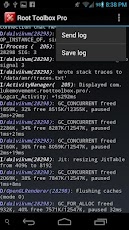
-Read Logcat
-Display Device Information 
-Download Update.zip To Change Sdcard Read Speed
-Wipe All Webview Cache
-MD5 Sum Fixer
-Debug Message
-Install Cyanogenmod's DSP Manager

All suggestions on features I can add or change to improve this app are always welcome. Please fill free to E-mail me and ill get back to you as soon as possable.

To Help Support The Development Of This App Go To http://lukemovement.wordpress.com

DISCLAIMER: This app is made available for use at your own risk with no warranty of any kind.

Root Toolbox PRO 2.1.4

REQUIRES ANDROID:1.6 and up

Download Apk :

Market :
https://play.google.com/store/apps/details?id=com.lukemovement.roottoolbox.pro

Tuesday, October 2, 2012

Real Colors Pro 1.1.1

Real Colors Pro v1.1.1 Apk - Best tool for generating color palettes.

Leading color palette generator from photos: the most advanced technology for the most harmonious color palettes. Helping designers and creative people get inspired from real life.

Google Play Staff Pick for both mobile and tablet.

"A designer's must", Miguel Maria Colon del Rey, Product Designer, Barcelona
"Fantastic work", Gina Chacon, Digital Artist, Mexico
"Love it", Adam Bjurstrom, Freelance designer, Louisville

Features:

- Automatically generate color palettes (color schemes) from photos using color theory rules: complementary, monochromatic, analogous, shades, triad, tetrad, split complementary and our unique algorithm
- Create beautiful wallpapers from your favorite color palettes
- Automatically generate the color spectrum from photo
- Colors from the color palette (color scheme) can be easily edited
- Get detailed information about the colors (HEX, RGB, HSB)
- Save color palettes in a library for future reference
- Export your color palettes (photo, color spectrum, HEX, RGB and HSB color values, Adobe Swatch Exchange file)
- Share your most beautiful color palettes

Real Colors Pro 1.1.1
$3.60


Real Colors is used by creatives all over the world for web design, interior design, colour matching for clothing and creating color themes.

We appreciate any kind of feedback that will make this product better. Send us your ideas torealcolors@makan-studios.com or just go to http://goo.gl/m9YrS and vote for some of the suggestions.

Real Colors Pro 1.1.1

REQUIRES ANDROID:2.1 and up

Download Apk :

Market :
https://play.google.com/store/apps/details?id=com.macaw.pro

Conjure 1.1.0

Conjure v1.1.0 Apk - Conjure is the fastest, smartest launcher for Android. Use it to open apps, make calls, toggle wifi, adjust volume, and much more. Search results are prioritized according to use so your favorite apps and contacts are always a keystroke away. Start typing and watch the magic happen.

Features:
* Find and launch apps
* Find contacts by name or number. Call, view, or sms contacts
* Adjust Android's volume
* Toggle wifi, bluetooth, airplane mode, silent mode, and vibrate mode
* Make your device speak using text to speech
* Search the web
* Conjure results are prioritized by frequency of use
* Devices with a search button: Long pressing the search button opens Conjure
* Optional system tray notification for easy launching
* 2 Widgets:
- Conjure Search Widget
- Conjure Search & History Widget (Android 3.0+)
* Optimized for phones and tablets


Conjure is not a home screen replacement. Instead, Conjure complements your existing home screen by providing the quickest app launching experience possible.

tags: quick, action, search, launch, launcher, recognition, fast, toggle, settings, search, text actions.


REQUIRES ANDROID:2.1 and up

Download Apk :

Market :
https://play.google.com/store/apps/details?id=com.iojess.conjure

Monday, October 1, 2012

Audio Control 1.8.1

Audio Control v1.8.1 Apk - Total Sound Control

Audio Control provides an amazing and unique volume management experience.

Audio Control has 5 components: Profiles, Schedules, Exceptions, Quick and custom Vibration. Each provides a unique way to control how your phone sounds and behaves.

A complete tutorial can be found at: http://www.mobiletrialware.com/audiocontrol

The purpose of Audio Control is to allow you to create and manage unique audio profiles and switch between them with ease. When a profile is applies all the sounds of the device will change to match that profile.

**FEATURES**

★ Separate Notification and Ringer volumes for ICS/JB devices
★ 12 Widgets that are completely customizable
★ Schedule all device sounds by day and time
★ 10 Shortcuts to access any part of Audio Control or apply a profile quickly
★ Profile widget that is resizable and can have multiple instances
★ Download FREE custom widget background or make and share your own from the developers website
★ A separate speakerphone volume for when the speakerphone is too loud or quiet
★ Profiles for Headsets (Bluetooth and Wired)
★ Locale and Tasker support for scheduling by location and more!* (Requires Locale or Tasker app)
★ Complete Tutorial so you don’t miss out on anything
★ Tablet optimized
★ Car Mode Profile
★ Never miss a text or phone call "Exceptions" which will auto adjust the volume
★ Adjust the device volume settings for a short period of time with "Quick" great for meetings or naps!
★ Custom vibration patterns for any installed application (ICS+ only)
★ Attach a ringtone to an Audio Profile

Audio Control 1.8.1
$2.99

Profiles are a way to save and restore audio profiles, with one tap put your phone on Silent, Vibrate, Loud, Sleep, or whatever you can imagine.

Schedules provide a way to apply your audio profiles by day and time. For example apply a Sleep profile every night before bed. Or a work profile before you arrive to work.

Quick will apply a profile for a short pre-determined time and then apply a different profile when that time is up. Useful for those quick meetings the boss surprises you with.

Exceptions are a great way to never miss a phone call or SMS (Text) message. Add a contact to exceptions and when they contact you a profile will apply just moments before so you don’t miss them. "Go SMS Pro" not supported.

Widgets and Shortcuts are a great way to access any part of Audio Control from your home screen. Apply a profile with only one click! There are lots of widget and shortcut options to choose from, so don’t miss out!

Free widget background packs can be found by visiting:

Localization: 
English (Thanks Me!)
Spanish (Thanks Cory)
French (Thanks ModsZilla)
Dutch (Thanks Stijn)
Hungarian (Thanks Attila)

If you would like to translate Audio Control please send me an email!

PERMISSIONS:

READ_PHONE_STATE lets the app know when a phone call has started
MODIFY_AUDIO_SETTINGS modifies the audio settings
VIBRATE lets the phone vibrate when the option is selected
WRITE_EXTERNAL_STORAGE to create a file and use optional widget backgrounds
WRITE_INTERNAL_STORAGE to create a file and use optional widget backgrounds
RECEIVE_SMS used in "Exceptions" to know when a SMS message is received
READ_PHONE_STATE used in "Exceptions" to know when a phone call is received
READ_CONTACTS used in "Exceptions" to know what contact to use
BLUETOOTH is used to apply profiles when a bluetooth headset is activated and deactivated.

Audio Control 1.8.1

REQUIRES ANDROID:2.2 and up

Download Apk :

Market : 
https://play.google.com/store/apps/details?id=com.matthew.rice.volume.master

franco.Kernel updater 6.8.1

franco.Kernel updater v6.8.1 Apk - This application supports the following devices:
* Galaxy Nexus - 4.0.3, 4.0.4, 4.1 and 4.1.1
* HTC One X International Version (Tegra 3 variant)
* Samsung Galaxy SIII International Version (Quad-core variant)
* Asus Google Nexus 7


franco.Kernel updater app features:
HTC One X:
* Downloads boot.img and modules directly from the FTP
* CPU tools with the ability to change governor parameters and mess with the default governor and CPU frequencies
* Full control over the 4 cores - you can chose how many cores you want your device to use
* Live watch over the 4 cores by the second - you can see the device turning on/off the cores live

Samsung Galaxy SIII:
* Kernel downloader
* Kernel auto-flash
* Frequency and governor interface
* GovernorControl - full control over PegasusQ
* Tons of custom settings to maximize user experience
* Kernel backup/restore interface
* Power Modes interface - presets and ability to create your custom power modes
* More to come

Nexus 7
* Officially supported stamp
* Kernel updater/downloader
* Kernel backup interface
* CPU clocks/governor interface
* Governor Control interface
* CPU's online/offline live feed
* Tons of settings
* Power Modes & Custom Power Modes

franco.Kernel updater 6.8.1
$3.86

Galaxy Nexus:
* Downloads the kernel directly from the ftp
* Checks for updates directly from the ftp
* Checks and downloads Imoseyon's kernel (new feature)
* Kernel auto-flash
* Cpu frequencies changer
* Governor changer
* Voltage control interface
* Kernel settings:
* Hotplug enabler
* Color Control - You're able to change GAMMA values and Color Multipliers to achieve the best color profile
* Sound Control - Increase the max volume of your device
* Download special franco.Kernel boot animation
* Wi-fi special mode to boost signal during streaming while on screen off
* Custom download path
* Live calibrated voltages panel
* Disable logger
* SQlite defrag on boot
* Dedicated milestone and nightly kernels changelogs
* A widget with pertinent information
* Power Modes in prebuilt presets for maximum flexibility
* Kernel backup/restore interface
* Color Profiles interface - create your own presets and load them up when you want


This kernel gives your phone the best performance you've ever seen, with the best battery life as can be seen by the following comments:

"I've been running AOKP with Franco's 7.1 and its amazing.

Thank you for your hard work."

"This kernel + AOKP = Pure awesomeness. 
Pretty much the best performance I've ever had on any device as of yet.
Thanks so much for your continued effort "

"Cracked it Franco , well done. Screen-off efficiency it better than stock for me! Went to bed at 65% woke up over 10 hours later and it was 64%!"


This application and kernel will ONLY work with Ice Cream Sandwich 4.0.3/4.0.4 or Jelly Bean 4.1/4.1.1 and you need root and a custom recovery to flash the .zip. If you don't have root or a custom recovery please check this fabulous tool: http://forum.xda-developers.com/showthread.php?t=1392310

Main tester of this app and kernel:
Christian Göllner - get his app here: https://market.android.com/details?id=com.cgollner.benchmark

*DISCLAIMER*

I take no responsibility for any fault or damage caused by any procedures within this guide. No warranties of any kind are given.

franco.Kernel updater 6.8.1

REQUIRES ANDROID:4.0 and up

Download Apk :

Market :
https://play.google.com/store/apps/details?id=com.franco.kernel

Better Terminal Emulator Pro 4.04

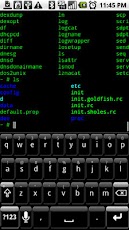
Better Terminal Emulator Pro v4.04 Apk - Harness the native Linux command-line potential of Android with this Terminal.

BTEP is an advanced multi-session Terminal Emulator and SSH client for your phone, tablet and Google TV. It also supports Telnet and FTP. Unleash the command line potential of the Android console with this terminal. Tons of real Linux utilities, root not required. Long press display for more options. Run native Linux apps with Better Terminal Emulator Pro. Excellent bluetooth, USB, hard and soft keyboard and Sywpe support, send all VT-220 character codes including F1-F20. Includes SSH/Telnet/FTP client, BusyBox, BASH Shell.

If you find any bugs or have any ideas for improvement, please contact me via email, or file a report at:

Please do not leave bug reports in the comments section, as there is not enough space to adequately describe the issue, and I have no way to respond in order to get more information.

Great for tablets such as the Viewsonic gTablet, Motorola Xoom, Galaxy Tab 10.1, ASUS Transformer!

Works great with the Motorola Bluetooth Keyboard and Apple Wireless Keyboard on Xoom and Galaxy Tab 10.1. Honeycomb support for the tablet form factor as well as HDMI out on the Xoom. Works well with Samsung Galaxy Tab 10.1 keyboard dock.

Better Terminal Emulator Pro 4.04
$3.99

If you are having trouble with the soft keyboard on HTC phones like the Desire HD or Thunderbolt, try changing to another soft keyboard. Seems like the HTC soft keyboard has some issues with BTEP, but other keyboards work fine. Hacker's Keyboard is my new favorite keyboard for use with BTEP.

Now includes Frotz and the classic Colossal Cave Adventure game in the enhanced utilities for fun. Busybox has recently been updated to support SMP systems, ie, in "top."

Explanation of Permissions:
All permissions used by BTEP are strictly for enabling the functionality of BTEP. BTEP does not contain any analytics, or collect any data.

Network Communication - Required so that the shell, SSH, Telnet, and FTP can access the Internet.
Storage - So you can manipulate contents of /sdcard/ on your device from the shell.
System Tools - Allow user to keep WiFi and/or display active if desired.
Hardware Controls - Control vibrator for vibration on cursor keys / virtual DPAD.
System Tools - Install Shortcuts, does what it says.

Better Terminal Emulator Pro 4.04

REQUIRES ANDROID:1.6 and up

Download Apk :

Market :
https://play.google.com/store/apps/details?id=com.magicandroidapps.bettertermpro

GMD GestureControl ★ root 4.2.1

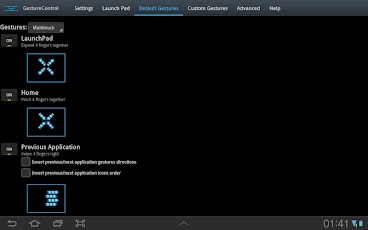
GMD GestureControl ★ root v4.2.1 Apk - Control tablet with MULTITOUCH gestures like iPad. Hide status bar, full screen.

Control device with MULTITOUCH and MULTITASK gestures similar to iPad. Works in all applications. You can even hide status bar and enjoy full screen in your favorite games or while browsing.

★ Try Lite version before you buy
★ Requires root access
★ USB Debuging must be enabled in Android setting

★ Multitouch
★ Multitask - start any application, shortcut or custom action without leaving current application
★ Custom actions - LaunchPad, Start application, Previous Application, Next application, Home, Kill current application, Back, Forward, Recent application list, Recent application dialog, Menu, Notification Panel, Hide/Show status bar, Start launcher shorcut(bookmark, contacts, settings, etc), Start Tasker task, Pause gestures, Exit, Screen Off (lock), Alt+Tab, Music Play/Next/Previous, Volume, Search, Voice Search, Select Input Method.
★ Swipe 4 fingers right - open previous application
★ Swipe 4 fingers left - open next application
★ Expand 4 fingers - LaunchPad (similar to SwypePad, start any application, shortcut or custom action)
★ Pinch 4 fingers - Home gesture
★ Swipe 3 fingers down - Back gesture
★ Swipe 3 fingers up - Bottom recent applications bar
★ Swipe 4 fingers up - Hide/Show status bar (experimental)
★ Custom gestures - create your own gestures to start any application, shortcut or custom action

THERE IS NO WAY TO ANSWER MARKET COMMENTS OR CONTACT COMMENTATOR - EMAIL ME IF YOU WANT ANSWER.
Please don't post your problems in market, email me or go post to XDA, thanks:

GMD GestureControl ★ root 4.2.1
$5.31

If your device is listed as unsupported, please try default parsers:
1) Start application
2) Open Advanced tab
3) Is multitouch device detected properly? If not, enable 'Override multitouch device detection' and select your multitouch device. 
4) Enable 'Override touch events parser detection'. Select HC_DEFAULT. Click 'Restart service', wait a few seconds, try if it is working.
5) If it is not working with HC_DEFAULT, try ICS_DEFAULT. Don't forget to restart service again. 
6) If you make it work, please go to Help tab, click List devices and send me screenshot. Tell me that it is working with these settings. I will update application so it is detected properly in next version.
7) If it still do not work, contact me by email: goodMoodDroid@gmail.com

Known issues:
- On ICS hiding bar will reset your wallpaper to default.
Live wallpapers don't have issues. You can use "simple image wallpaper" from market to solve this problem. 
- On ICS hidden bar might reapear on some ROMs
- There is no issues on Honeycomb.

Description: This application allows you to control tablet with gestures. 
Swipe 4 fingers up to hide status bar. Do same gesture again to restore bar. 
Swipe 4 fingers right to open previous application. 
Swipe 4 fingers left to open next application. 
Pinch with 4 fingers anywhere on screen to return to home screen from any application. 
Swipe 3 fingers down to execute back action in any application.
Swipe 3 fingers up to show custom bottom bar with recent applications.
Expand 4 fingers anywhere on screen to open LaunchPad dialog. It is similar to SwypePad and allows start your most often used applications, shortcuts or custom actions anywhere anytime with simple gesture.
Works in all applications, games and browsers. 
Application will use freed space when you hide status bar. Some games even work better with status bar hidden.
There is an option to switch to single touch gestures if its more convenient. You can even create your own gestures for any action.

Full version adds following features: option to hide notification icon, custom gestures and special actions, any number of actions in LaunchPad.

GMD GestureControl ★ root 4.2.1

REQUIRES ANDROID:3.1 and up

Download Apk ;

Market :
https://play.google.com/store/apps/details?id=com.goodmooddroid.gesturecontrol

Sunday, September 30, 2012

TimeSwipe 1.0.4

TimeSwipe v1.0.4 Apk - Swipe to set your timer or use it as a stopwatch.
TimeSwipe is a beautiful timer app for multiple timers. All you need to do is swipe to set the time, and you're all done. You can also use it as a stopwatch by starting the timer without setting a time, then the timer will count up instead of down.

Features:
- Multiple countdown timers
- Multiple stopwatches
- Get notifications in your status bar
- If you run one timer at a time, the time will be displayed in the notification
- The new Android design on all devices from version 2.3.3 Gingerbread


- Enable / disable vibration
- Enable / disable alarm
- Change alarm sound
- Change alarm interval

Languages:
- English
- Swedish.

TimeSwipe 1.0.4
$1.06

------------------------------------------------

TimeSwipe 1.0.4

REQUIRES ANDROID:2.3.3 and up

Download Apk :

Market :
https://play.google.com/store/apps/details?id=com.unzippedlabs.timeswipe

Android Tuner 0.1.4

Android Tuner v0.1.4 Apk - The most complete app for monitoring and controlling your Android devices

** THIS IS BETA SOFTWARE - PLEASE MAKE A NANDROID BACKUP **
*** AND CREATE CWM RESTORE FILE FROM ACTIVE TWEAKS ***

Following popular requests, this is the merging of Battery Monitor Widget, System Tuner and Multi Toggle Widget apps.

Best on rooted phones, works well on stock phones too.

Unique features not available elsewhere (requires root):
- Clean reboot
- Turn on/off APN, BT discovery, GPS & WiFi Localization
- Automatic backup of installed apps
- Logcat reader for Android JellyBean 4.1.x
- Graphical monitoring widgets
- milli-amp consumption reporting

A special APK is installed (with your permission) into /system for that purpose, for more information, please visit: http://www.3c71.com/android/?q=node/922

About the huge amount of permissions requested: http://www.3c71.com/android/?q=node/924

Android Tuner 0.1.4
$12.84


Full feature set (some require root access):

- File explorer (root, sd, network share, streaming)

- Application backups (auto, multiple version)

- Startup application manager*

- Application event control*

- System app uninstaller*

- System update cleaner*

- Monitoring (battery, cpu, network, memory)

- Logcat**, kernel message reader*

- App statistics since unplugged

- Task manager

- Auto-task killer

- Terminal emulator

- CPU tweaks (governor, frequency, voltages) relying on Kernel support*

- SD tweaks (cache size, scheduler)*

- Sysctl editor*

- Build.prop editor*

- Many notifications icons can be installed

- 1x1 and 2x1 text widgets

- 2x1, 3x1, 4x1, 4x2, 5x1 and 5x2 graphic widgets

- 1x1 and 4x1 toggle widgets***

- App optimizer (zipalign and database cleaner)

- Battery saver (cpu, switch off wifi, bt...)***

and much more...


* Requires root access
** Requires root access on Android 4.1 and above
*** Requires root for full feature


** THIS IS BETA SOFTWARE - PLEASE MAKE A NANDROID BACKUP **
*** AND CREATE CWM RESTORE FILE FROM ACTIVE TWEAKS ***

Should you experience issues, contact me before adding a comment, the solution might be easy or a fix ready, but I can't reply to comments.

Android Tuner 0.1.4

REQUIRES ANDROID:2.1 and up

Download Apk :

Maraket :
https://play.google.com/store/apps/details?id=ccc71.at
Related Posts Plugin for WordPress, Blogger...